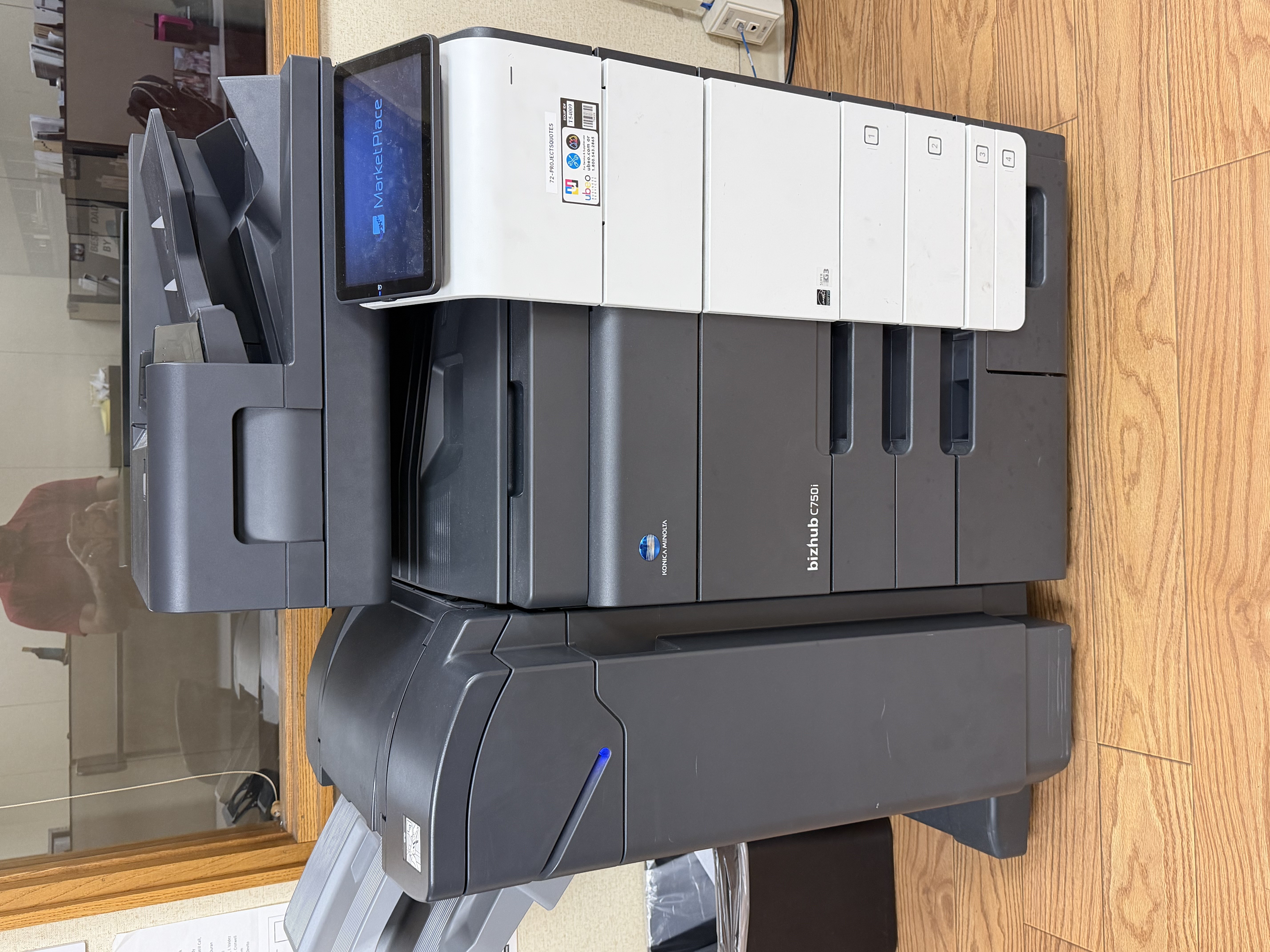
📂 Case File
Device:
Konica Minolta bizhub C750i
Customer Complaint:
Multiple users suddenly unable to print
Primary Symptom:
Printer online with a valid IP address, but print jobs failed
Category:
Business Technology
Every IT technician eventually encounters a repair that makes absolutely no sense. This was one of those days.
A Konica Minolta bizhub C750i suddenly stopped printing after what appeared to be a Windows update. Multiple users were affected, yet the printer appeared completely healthy.
This is the story of one of the strangest printer repairs I've seen.
The Symptoms
At first glance, everything appeared normal.
- The printer had a valid IP address.
- It was connected to the network.
- Users could see the printer.
- There were no obvious hardware errors.
In other words, all the usual signs pointed to a healthy printer. Yet no one could print.
Starting with the Basics
As with any troubleshooting process, I started by verifying the fundamentals. I confirmed network connectivity, checked the printer's status, and ruled out common issues such as offline queues and communication problems. Everything checked out. The next logical step was to reinstall the manufacturer's print driver. No luck. I then installed the Konica Minolta Universal Print Driver, expecting that to solve the problem. Still nothing.
Always verify connectivity before replacing drivers. If the printer cannot be reached on the network, installing new drivers usually won't solve the problem.
Thinking Beyond the Obvious
At this point, it became clear that this wasn't a typical printer issue. Because the problem affected multiple users and appeared after a recent Windows update, the evidence pointed toward a driver compatibility problem rather than a hardware failure. Instead of assuming the manufacturer's driver had to be the answer, I decided to try something completely different. I installed a Ricoh Universal Print Driver. Almost immediately... The Konica printer started printing normally.
Sometimes the Weird Fix Is the Right Fix
Can I explain exactly why the Ricoh driver worked while both Konica drivers failed? Not with certainty. My best guess is that the Ricoh Universal Driver generated print jobs in a way that avoided whatever compatibility issue the recent Windows update had introduced with the Konica drivers. The important lesson isn't that everyone should install Ricoh drivers on Konica printers. The lesson is that successful troubleshooting comes from following the evidence—not from assuming the expected solution must be the correct one.
What This Means for Customers
Technology doesn't always fail in predictable ways. Sometimes a slow computer isn't caused by age. Sometimes data loss isn't permanent. Sometimes a printer that appears completely healthy simply needs an unconventional solution. At Texas Tech Rescue, every repair starts with careful diagnosis rather than guesswork. Whether it's a stubborn business printer, a desktop that won't boot, or a laptop that's become painfully slow, the goal is always the same: Find the actual cause of the problem and get you back up and running.
Final Thoughts
Every technician eventually collects a handful of stories that sound almost impossible. This one has already earned a permanent place in my troubleshooting notes: Konica Minolta C750i + Windows update = Konica drivers fail. Ricoh Universal Print Driver restores printing. Would I have predicted that outcome? Not a chance. Will I remember it the next time I see a similar issue? Absolutely. Sometimes the strangest fixes become the most valuable lessons.
Konica Minolta has since released an updated universal print driver that resolves the issue. The Ricoh universal driver served as a temporary workaround until the manufacturer released a compatible update.
Frequently Asked Questions
Can Windows updates break printers?
Yes. Driver compatibility problems occasionally occur after major Windows updates.
Why didn't the Konica driver work?
The exact cause couldn't be confirmed, but the behavior strongly suggested a compatibility issue between the updated Windows print subsystem and the Konica driver.
Should I install another manufacturer's driver?
Not as a first step. Always begin with proper troubleshooting before trying alternative solutions.
Can Texas Tech Rescue troubleshoot office printers?
Absolutely. We diagnose driver problems, network issues, Windows printing errors, and hardware failures for both home users and small businesses.
📜 Technician's Log
Repair Story: #0001
Device: Konica Minolta bizhub C750i
Status: PRINTING RESTORED
Final Diagnosis:
Driver compatibility issue following a Windows update.
Lesson: The correct driver isn't always the driver that works.
Printer Problems Slowing Down Your Business?
Whether your printer suddenly stopped working after a Windows update, refuses to print, or constantly goes offline, Texas Tech Rescue can help identify the root cause and get you back up and running.
Get Professional Help